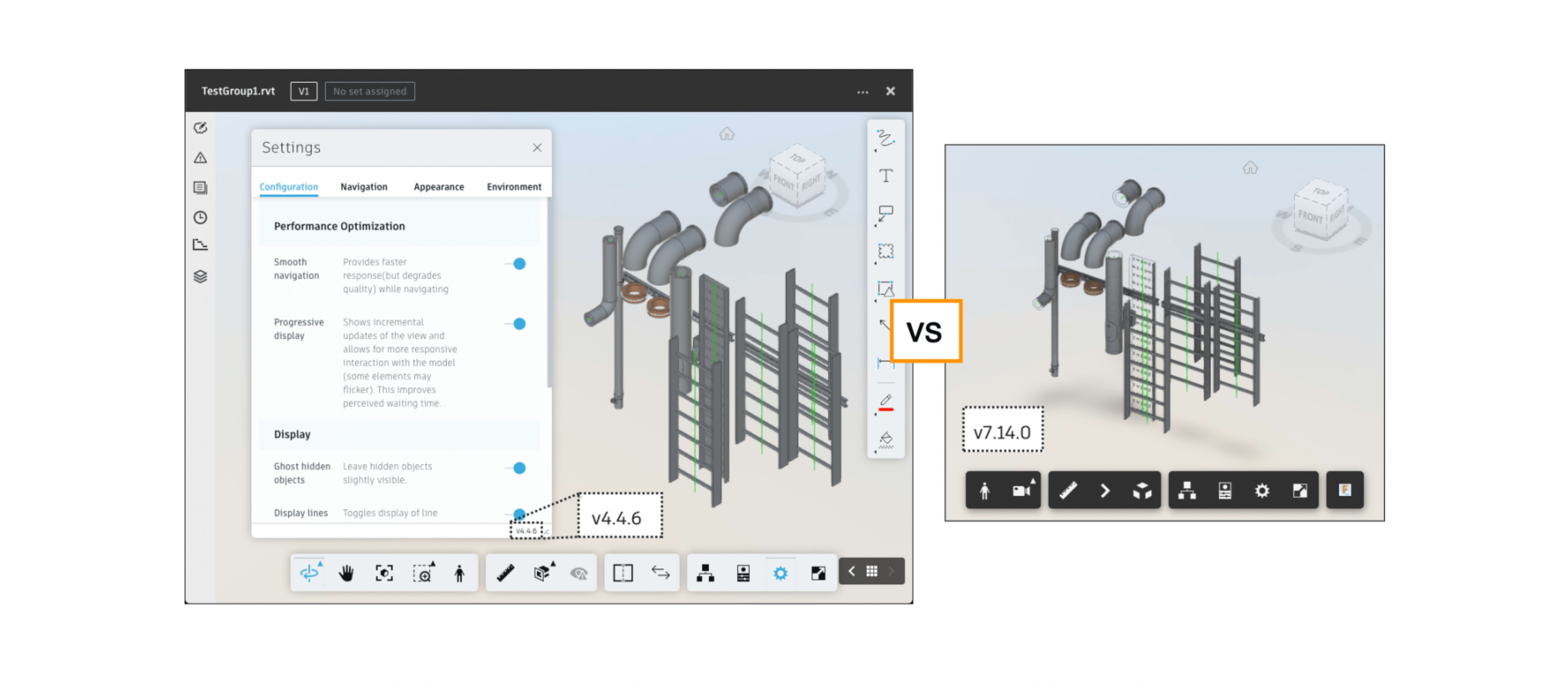
Forge Viewer vs. Fuzor Viewer for Browser: A Comprehensive Review
In today’s AEC scenario, thriving in the industry demands a seamless integration of 3D visualization in every project. The 3D visualization and rendering market will grow at a CAGR of 23% (Global newswire) by 2026, reaching a figure of about $6.75 billion.
As infrastructural complexities intensify, the AEC industry constantly evolves, primarily driven by robust 3D visualization tools. Forge Viewer and Fuzor Viewer are notable tools at the forefront, enabling interactive visualization within web browsers. Let’s go deep into learning all about these platforms' potential and capabilities.
When 3D Visualization arrived in the AEC Industry
From working on multiple platforms for a single project to doing it all on a unified platform, the AEC industry is witnessing a seismic shift from the conventional. Owing to technological advancement, the construction industry landscape is going more digital.
3D visualization, apart from being an interpreting tool, is now transcending into a hub for collaboration among several teams.
Tools like Forge and Fuzor Viewer are aiding in the translation of concepts into immersive experiences for better management and development. These tools are proving to be instrumental in addressing real-world challenges. Owing to the flexibility of browser capability, these are significantly shaping the AEC future.
Forge Viewer:: Why the BIG fuss and How it is enabling 3D Models

Forge Viewer is a cloud-based tool that seamlessly integrates external data sources within the BIM model. The robust tools allow seamless collaboration amongst different teams, and with flexibility in its format support, it serves a broad spectrum of software and browser-based rendering.
The Primary Benefits Offered by Forge Viewer
- Integration with Autodesk BIM 360.
- Display and extension of data with compatible platforms for better decision-making.
- Automation of repetitive commands.
- Extraction of metadata and individual objects from 3D models.
- Conversion of images into dense point clouds, textured meshes, and orthophotos.
- Viewing and rendering of 2D or 3D model data on a browser.
Forge Viewer helps unify teams with a single 3D model featuring real-time data. Its versatility makes it compatible to decrypt more than 60 types of AEC file formats.
Unified Visualization and Project Management with Fuzor Viewer

Fuzor Viewer is a crucial part of the Fuzor software suite, enabling project management and BIM integration with real-time 3D visualization. Its VR-driven solutions serve as a visualization tool and 4D scheduler for analyzation of every stage of the project.
Top Advantages Offered in Fuzor Viewer
- Direct exporting from Archicad or Grasshopper with real-time synchronization.
- Enables seamless integration of 3D model and point cloud data from the site for clash resolution and better coordination.
- Making conveying ideas easier with quick and easy walkthroughs and 4D simulations.
- Lets you take your project to VR in a single click.
- Allows 5D cost tracking and analysis to keep the project within a set budget.
Its BIM and management capabilities make it an indispensable tool for the industry that effortlessly navigates the complexities of new-age construction.
Comparative Analysis between Forge Viewer and Fuzor Viewer
Empower Your Visualization Outcomes with Forge Viewer and Fuzor Viewer
Although both Fuzor Viewer and Autodesk Forge Viewer specialize in different fields, the common aim is to enhance and intricately define each element of the 3D model. Forge is the go-to platform for browser-based solutions.
Analyze your needs and the existing system specifications, and pick your visualization partner for enhanced efficiency. To seek expert consultation to know more about the tools, https://ncircletech.com
FAQs
Q. What is Forge Viewer?
Autodesk Forge Viewer is an API platform enabling complex 3D visualization and rendering on a browser.
Q. What are the advantages of using Forge Viewer?
The key benefits of using Forge Viewer in the AEC industry are cost estimation, collaborative working, design automation, 3D rendering on browsers, etc..
Q. Has Forge Viewer updated its name?
Forge Viewer is now known as Autodesk Platform Services.
Q. What is Fuzor?
Fuzor is a versatile software that simplifies construction, facilities, and management concepts. It offers real-time visualization, enhanced collaboration, BIM features, project management, and more.
Q. What programming languages are used in Forge Viewer?
.NET, Python, Java, HTML, PHP, Shell, TypeScript, and Swift.