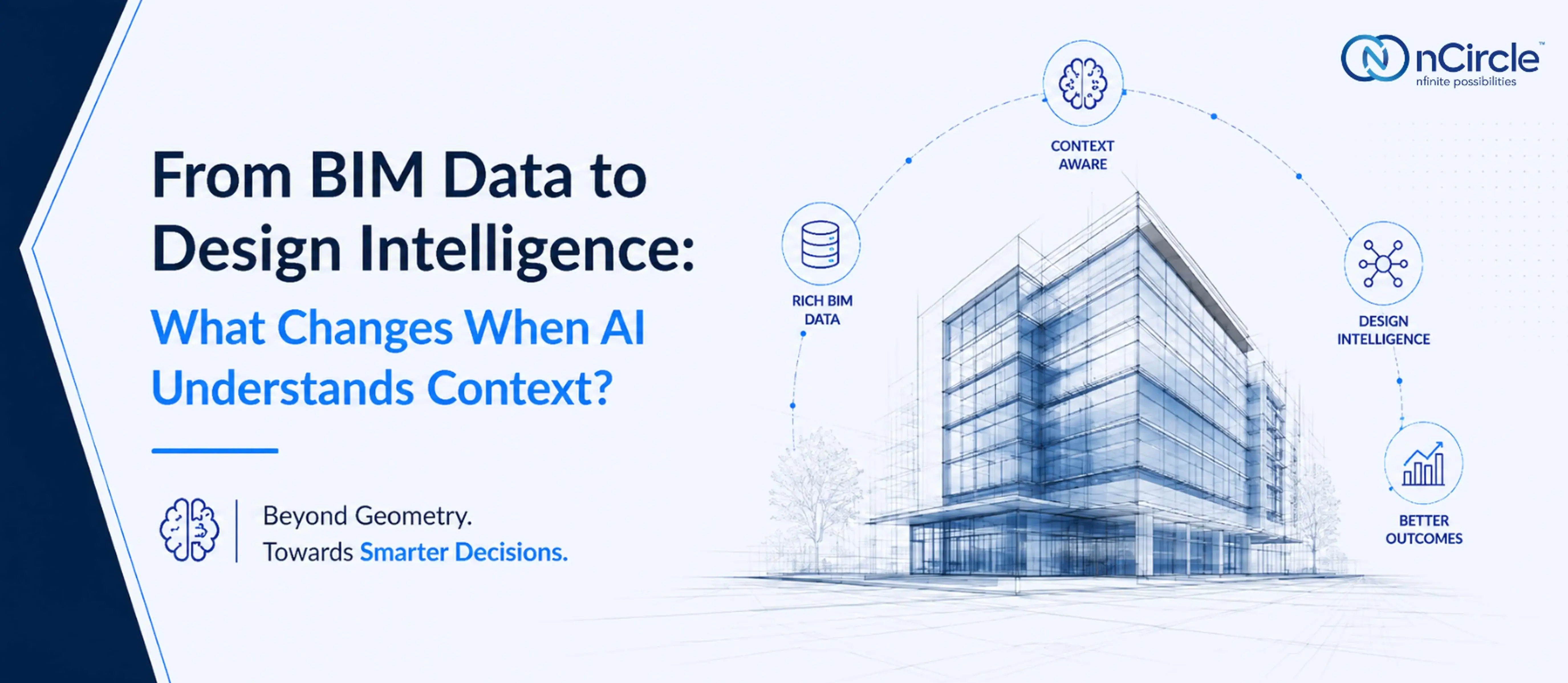
AI-Powered BIM: From Data to Design
Most conversations about AI in BIM workflows start with a narrow question: can the model read the geometry? That question was answered years ago. The more interesting one - the one that actually determines whether AI changes anything about how a project runs - is different: can it understand what that geometry means?
That distinction is where design intelligence AEC tools either earn their place in a workflow or quietly become another dashboard nobody opens twice.
1. Beyond Geometry - What BIM Data Actually Contains
A BIM model was never just a 3D shape. Underneath the geometry sits a dense layer of metadata - element relationships, material properties, sequencing logic, spatial rules, and the reasoning that shaped every design decision along the way.
Most automation only touches the surface. It counts elements, flags clashes, and extracts quantities - useful, but shallow. The richer layer, the one that actually explains why a wall sits where it does or why a duct route was chosen, rarely gets used. That's the layer where BIM data and AI could do far more than either does today.
2. Where Traditional BIM Automation Stops
Rule-based automation is excellent at repetition, but terrible at judgment.
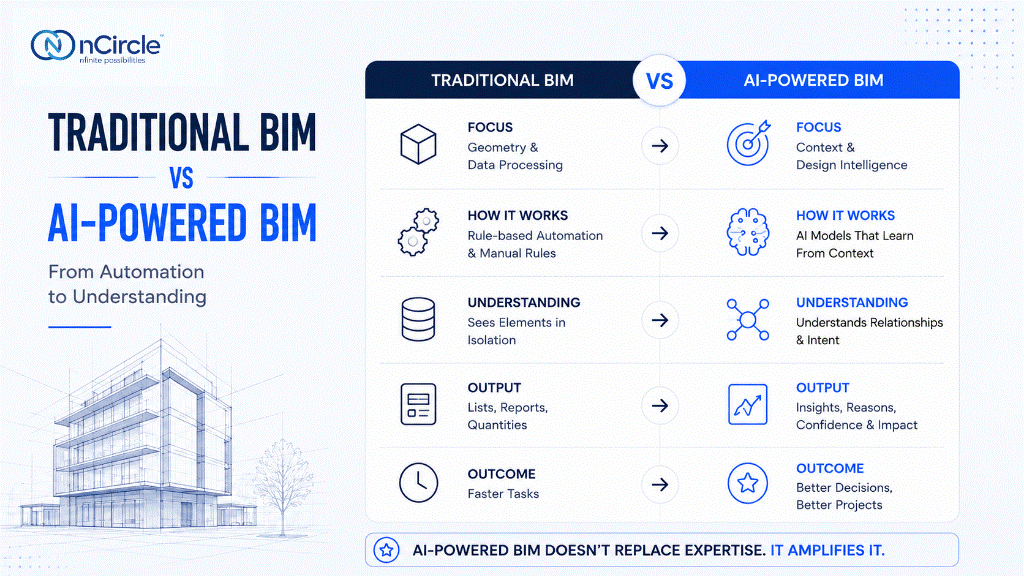
A clash detection rule can tell you two elements intersect. It cannot tell you which clash matters most this week, or which one is a modeling error versus a real coordination problem. That gap - between flagging and understanding - is exactly where contextual AI in construction starts to matter, and where most AI in BIM workflows today still fall short.
3. What "Context" Actually Means for AI in AEC
"Context" gets used loosely in AI marketing. In BIM, it has a precise meaning.
- Relationships Between Elements : Every component in a model exists in relation to others - a beam supports a floor, a duct depends on ceiling height, a door swing depends on adjacent circulation. Context-aware AI treats these as connected facts, not isolated objects.
- Constraints and Rules : Code requirements, structural limits, and spatial logic all shape what's actually feasible - not just what's geometrically possible. AI that understands constraints can distinguish a technically valid model from a buildable one.
- Project-Specific Intent : Two identical-looking layouts can exist for entirely different reasons. Understanding why a decision was made - not just what it produced - is the hardest part of context, and the part that separates real design intelligence AEC teams can rely on from pattern-matching dressed up as insight.
4. From Data Processing to Design Intelligence
This is the actual shift underway in AI in BIM workflows - not faster processing, but a different kind of output.
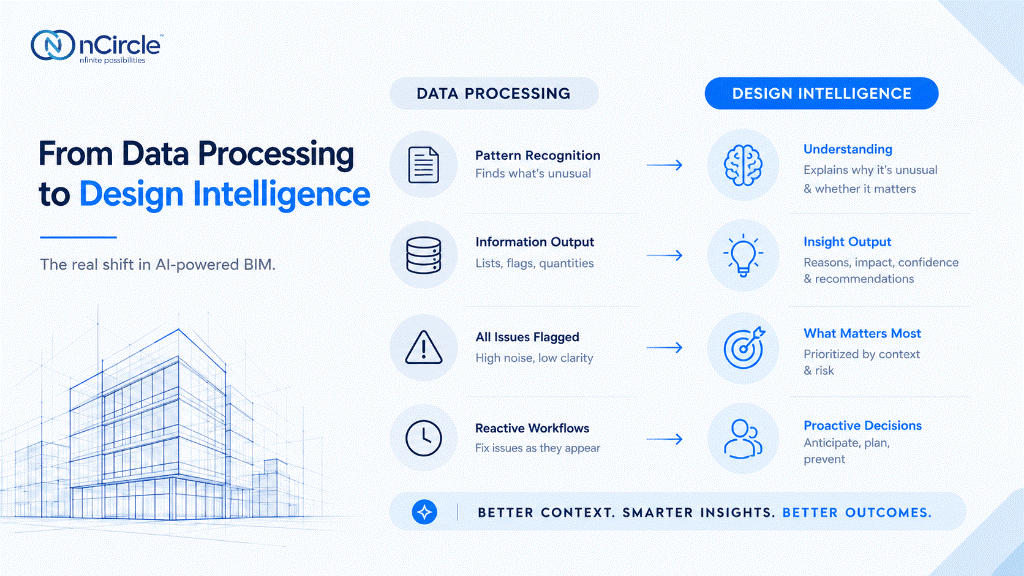
- Pattern Recognition vs. Understanding : Pattern recognition tells you that something is unusual. Understanding tells you why it's unusual, and whether it matters. A model that's merely fast at scanning geometry will flag hundreds of anomalies. A model with context prioritizes the five that actually carry risk.
- What Changes in Day-to-Day Decisions : In practice, this looks less dramatic than the AI narrative suggests. A flagged clash comes with a reason attached, not just a location. A quantity takeoff comes with a confidence level, not blind certainty. A coordination issue gets ranked by consequence, not just by existence.
None of this replaces the team's judgment. It gives that judgment better material to work with - which is the actual promise behind AI-driven decision making AEC teams have been waiting for, as opposed to the version that just makes existing dashboards louder.
5. What This Means for AEC Teams
If your evaluation of an AI tool stops at "does it read our BIM data," you're asking last year's question. The better one: does it understand how that data connects - to code, to sequencing, to the reasoning your team already applies, often without writing it down? That's the question worth applying to any AI in BIM workflows your team is evaluating right now.
That's the real test for machine learning in BIM models going forward - not whether it processes information faster, but whether it processes it with anything resembling relevance.
In conclusion, the real shift isn't the model. It's the question we're asking it.
For years, the question was "can AI read our models." That question has been answered. The harder, more useful one is whether AI can understand what those models actually mean - and that's a question of context, not computing power. What would it take for your BIM data to actually inform a decision, not just describe one?
Curious about what AI could mean for the future of Design & Make?
Tarika Jain, Co-Founder and Head of Business at nCircle Tech, explored this perspective at AU2026 on September 14, in her session, “What AI in Design & Make Looks Like.”
Frequently Asked Questions
Can AI understand relationships and constraints in a BIM model?
Yes - with the right approach, AI can map how elements relate, apply code and spatial constraints, and reason about feasibility rather than just geometry.
What's the difference between BIM automation and AI-driven design intelligence?
Automation executes fixed rules on data. Design intelligence interprets relationships, constraints, and intent to produce judgment, not just output.
How does AI use project context in BIM workflows?
Well-designed AI in BIM workflows combine element relationships, regulatory constraints, and project-specific intent to prioritize what matters, rather than flagging everything equally.
Is BIM data alone enough for AI to make design decisions?
No. Raw BIM data provides geometry and metadata, but AI needs context - relationships, rules, and intent - to move from processing data to informing decisions.