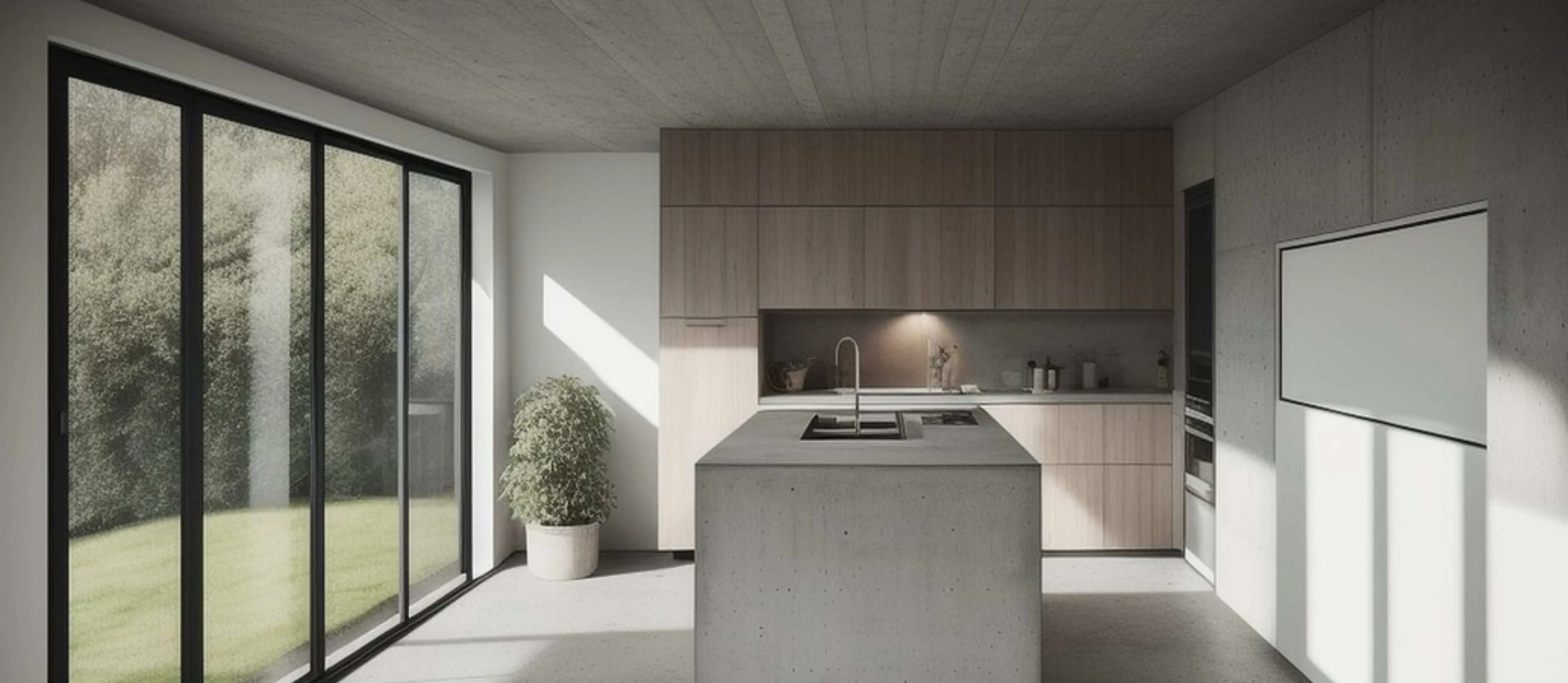
Reshaping Vision: Stable Diffusion in Architectural and Interior Visualisation
Whether we talk about self-driving vehicles or ChatGPT, AI is driving the new-age world. The global artificial intelligence market is expected to surge with a CAGR of 37.3% from 2023 to 2030, reaching $1811.8 billion by 2030.
AI-based tools are growing fast in significant sectors, including the architectural realm. The design industry has always sought new techniques for presenting ideas. And with generative AI ruling the world, it’s transforming how 3D visualisers breathe life into their concepts.
A few years ago, we were restricted to tools. However, today, an array of tools offers unparalleled precision. From materials to styles, there are endless modes to generate a single visual. One such novel platform is Stable Diffusion. This tool literally takes your word to create visualisations. Let’s discover all about stable diffusion and how it empowers visualisation workflows.
Understanding Stable Diffusion
A typical visualisation service involves a lengthy procedure. It begins by generating 2D drawings. The blueprints lead to 3D models, which are then developed as photorealistic renders. Imagine a tool that takes your command and develops realistic images. That’s what Stable Diffusion does.
Stable Diffusion is an AI model that brings textual prompts to vision. Architectural and interior designers leverage this tool to develop impressive images. Renders are an effective means to communicate concepts. Although the software is free, it demands a powerful GPU for smooth functioning.
Stable Diffusion uses pre-trained models to develop the images. Thus, the results are dependent on the model you select. For example, if you’re picking a model trained for watercolour art, the render for your design will only include watercolours rather than a realistic image.
A comprehensive guide to using Stable Diffusion:

From working with a reference image to giving it a textual prompt, Stable Diffusion works with multiple modes.
Img2img
Let’s begin by learning how Image to Image modeling works.
- Start generating the render by feeding a reference image. For example, suppose you’re planning to enhance the interior design of the living room. Select the base image for which you need enhancements.
- The next step is to pass this image through ControlNetCanny. It processes and creates structural outlines, helping to define the design features.
- Mention the text prompt for the image. For example, mention that you need an image of a sophisticated living room in a luxurious apartment.
- As important as mentioning a positive prompt, so is the negative one. You can convey what you ‘don’t want’ in the render through the negative prompt. For example, in the case of a living room render, you can add that you don’t want sketches or cartoony effects in the final results.
- Upon entering both the prompts, click on generate for the final results.
Txt2image
- Launch Stable Diffusion.
- Select the txt2img model.
- Mention both positive and negative prompts. For example, let’s say you want an exterior render of a hospital building. To convey your vision precisely, mention the prompt with features like a glass facade, modern design, exterior shots, etc.
- The next step is to specify the sampling method and sampling steps.
- You can even feed a basic sketch or image for the AI to work on.
- Make sure to specify the control mode, whether you wish to keep it balanced or want AI to follow your prompt.
- Once you’ve entered the necessary details, click generate to render.
The transformative power of Stable Diffusion in architecture and interiors

Gone are the days of spending endless hours generating a single view. Today, architects and interior designers are harnessing AI for visualisation. Feeding textual prompts, AI can create an array of renders quickly.
From revamping a sketch to defining details, let’s understand how Stable Diffusion helps convey ideas to teams and clients.
- Restyling what exists
Designers love experimenting with different mood boards and design languages to find the best ones. Conventionally, styling a single model with other designs is time-consuming and tedious; AI does it in no time.
You can apply different colour schemes, textures, and materials with AI by tweaking the textual prompt. This innovative approach allows designers to present styling options while retaining the authentic character of the design.
- Material visualisation
Designers can define any desired render materials, from wood to glass. Realistic visualisation with finishes, materials, and textures helps maintain the design's authentic character.
This approach also offers the flexibility to test new options and let clients pick aesthetics that align with their tastes.
- SketchUp to realistic views

Today, visualisation is ruling the design industry. We’re no longer relying on 2D details. Instead, visuals have become a critical part of the process from conceptualisation to construction to convey the design ideas.
While SketchUp helps designers draft their ideas, Stable Diffusion enhances visualisation by imparting a realistic touch. This approach offers a tangible representation of the concepts. Real-time feedback and enhancements ensure the final design aligns well with the original vision.
- Tackling the details
Although we’re living in the era of digitisation, every design begins with a sketch. Translating these sketches into details has become a breeze in this advanced world.
Stable Diffusion lets designers detail and polish the basic sketches with the help of ControlNet Scribble and the ESRGAN upscaling tool.
- Client communication
One of the pressing concerns in the design industry is communication. 3D visualisation bridges the gap between the client’s understanding and the designer’s vision. AI-driven high-quality renderings effectively convey the look and feel of the design with immersive visualisations.
Articulating vision, precisely!

With the growing popularity and demand of Generative AI, Stable Diffusion transforms how designers conceptualise and design spaces. This AI-driven approach offers control and unseen flexibility, from streamlining the design process to facilitating rapid iterations.
What was once perceived as a time-consuming and labour-intensive job is today a play of words to bring ideas to a virtual reality. At nCircle Tech, our team of experts always stay at the forefront to transcend the limitations posed by conventional workflows. A seamless integration of advanced tools enables us to empower the teams, thus results.
To know more about our tech-driven solutions, https://ncircletech.com