
Unleashing the Power of Cesium Viewer in AEC: A Deep Dive into Technical Features
Integrating advanced technology is vital in advancing innovation and efficiency in the ever-expanding field of architecture, engineering, and construction. Cesium Viewer is one such technology that creates opportunities for structured project workflows and collaboration in the industry. Cesium Viewer is an extensive way to perceive, analyse and collaborate on the project.
Let's get into the technical features of the Cesium Viewer and discover its capabilities and applications within the AEC industry.
Understanding Cesium Viewer
CesiumJs is developed as a geo-special application and visualisation tool, allowing professionals to integrate an interactive and robust map into their projects. Built on a robust JavaScript library, Cesium Viewer Demo grease the wheels of high-performance 3D globes, displaying captivating and static data with incomparable precision and fluidity.
Key Features of Cesium Viewer in BIM
Cesium Viewer applications are as diverse as their impact on the AEC industry. Here are a few of them -
1. 3D Visualisation and Navigation - With the ease of navigating through 3D environments while zooming, panning and rotating, Cesium Viewer can explore building models and their surroundings in great detail.
2. BIM Model support - Cesium Viewer can assist site analysis by overlaying BIM models onto terrain data and other geospatial information. This provides significant insight into building project proposals following their surroundings.
3. Geo-spatial Context - It is used in urban planning to understand buildings' relationship to their context. Cesium Viewer's ability to provide a detailed geospatial context helps in informed decision-making.
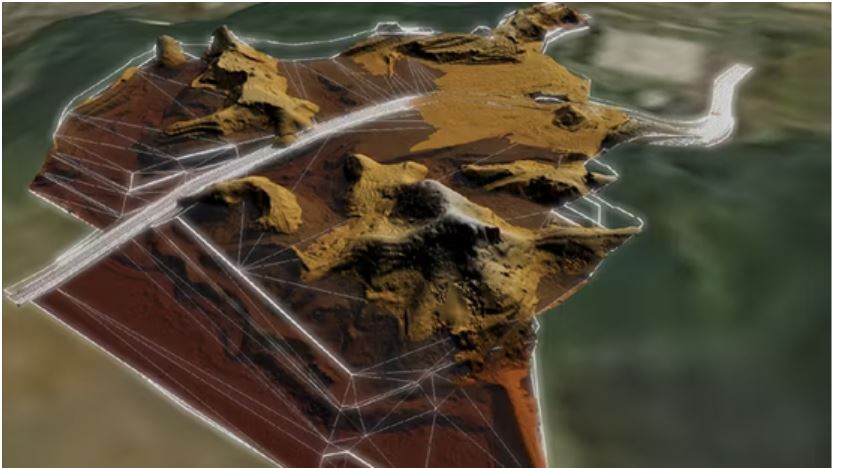
Source- © Cesium
4. Time-based Analysis - Cesium Viewer Demo time dynamic data enables users to monitor changes over time. This is a helpful feature for stimulating the impact of design changes.
Compatibility with different file formats:
The ace in the hole lies in Cesium Viewers' compatibility with a diverse data format that includes -
- Photogrammetry or LiDAR-derived mesh
- 3D model (.obj, .fbx, .dae, .gltf, .glb)
- Point Clouds (.las, .laz)
- 3D Buildings (.citygml, .gml etc.)
- Imagery, terrain, vector data (.tiff, .tif etc.)
As shown in the image below, when you look at all the different data layers in the context of GIS, the context becomes very very clear.
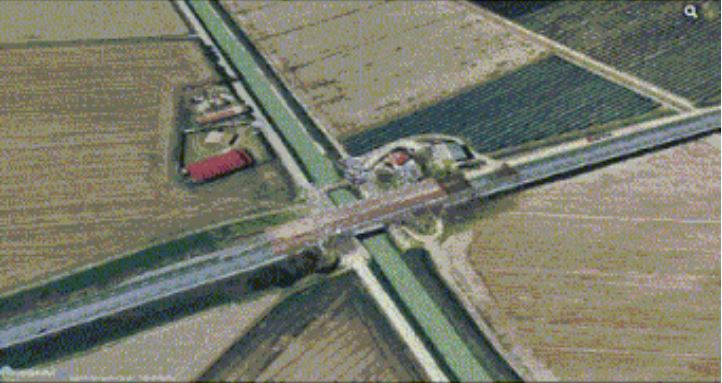
Combining different data types allows you to create an interactive environment around your project. Adding to the work time nature of the Cesium Viewer, it enables us to visualise better and work with the data practically.
Not just a viewer, You can design new elements:
Adding entities like points, lines, polygons, and overlays such as billboards and labels over your data is a plus for intensifying the visual representation of the data.
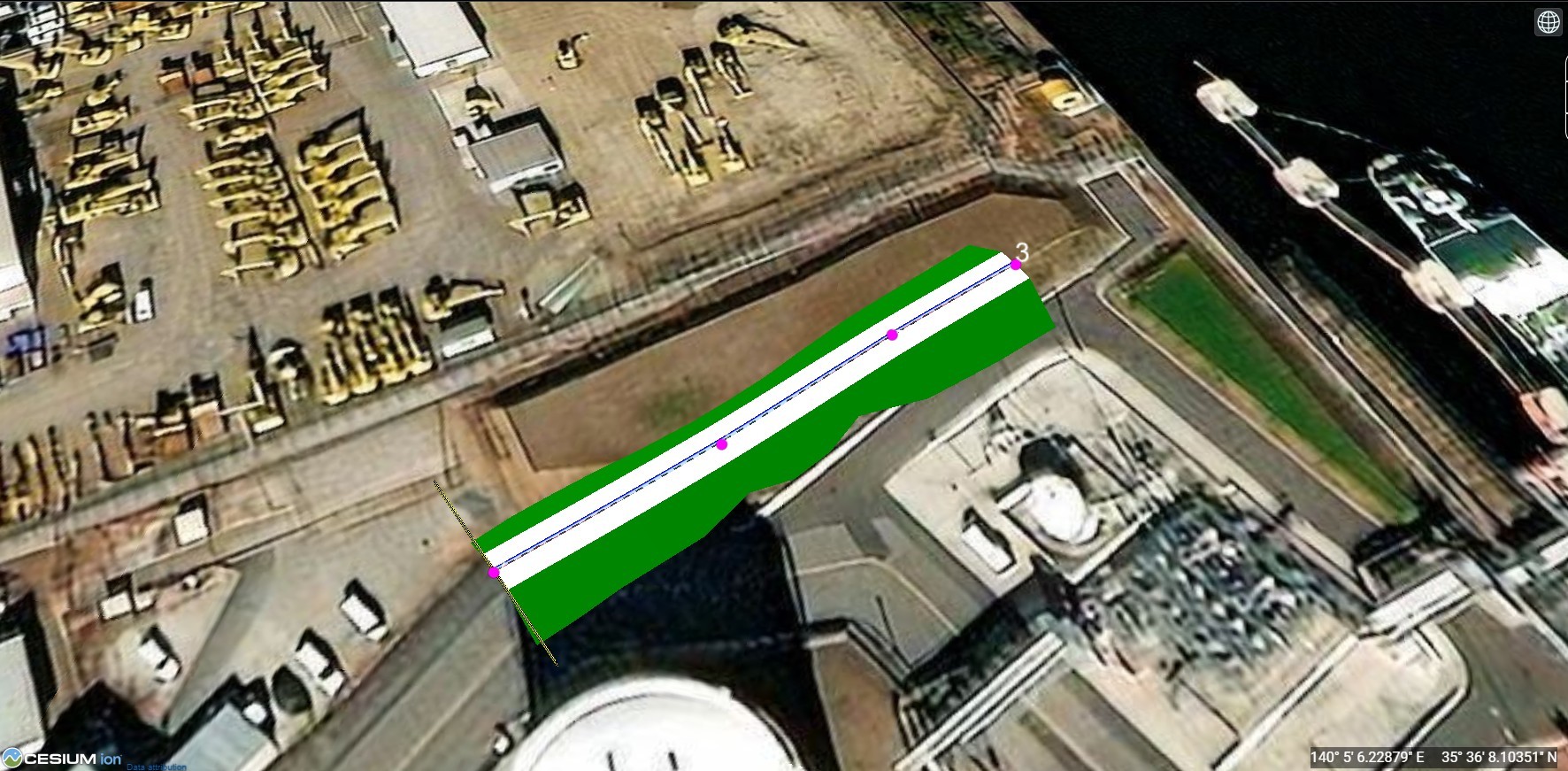
Efficient Data Loading in CesiumJS: A Guide
To load substantial datasets in CesiumJS, conversion to the Cesium Compatible 3D Tiles format is essential. This can be achieved through:
- Cesium Ion Service
- Cesium Ion Self Hosted
Both services facilitate the conversion process, enabling seamless integration into CesiumJS applications. Lets delve deeper to see how these services work.
Cesium Ion vs Cesium Ion Self-Hosted: Leveraging 3D Tiles for Enhanced Project Visualization
The transition of raw geospatial data into a visually immersive and interactive 3D environment necessitates the conversion of this data into a format that is compatible with CesiumJS, namely 3D Tiles. This is where the distinction between Cesium Ion and Cesium Ion Self-Hosted services becomes critical, offering flexibility and security in how data is managed and served within project workflows.
Cesium Ion: A Cloud-Based Solution for Streamlined Data Conversion
Cesium Ion represents a cloud-based platform meticulously designed by the Cesium team to simplify the conversion of geospatial data into 3D Tiles. By uploading data to the Cesium Ion web portal, users can effortlessly transform their project files into an optimized format for web visualization. Each dataset is assigned a unique ID/URL upon conversion, enabling its seamless integration into web applications via Cesium Ion's REST APIs. This service not only facilitates easy access to converted data but also integrates with web applications to enhance the project's visual and interactive capabilities.
Cesium Ion Self-Hosted: Ensuring Data Security Within Your Infrastructure
In an era where data security and sovereignty are paramount, Cesium Ion Self-Hosted emerges as a potent solution for organizations prioritizing the confidentiality and control of their data. As an on-premises solution, it empowers users to host, tile, and stream their geospatial data within the security of their own IT ecosystem. This option is particularly appealing for entities that require stringent data protection measures or operate in regions with specific data residency laws. By adopting Cesium Ion Self-Hosted, companies can enjoy the full spectrum of CesiumJS's visualization capabilities while maintaining complete authority over their data infrastructure.
Choosing the Right Path: Tailoring the Solution to Your Needs
The decision between Cesium Ion and Cesium Ion Self-Hosted hinges on a balance between the need for ease of access and integration offered by cloud services and the demand for data security and self-reliance provided by an on-premise solution. Each service presents a unique set of benefits tailored to different operational priorities, be it leveraging the cloud for its scalability and simplicity or opting for self-hosting to align with strict data governance standards. By carefully considering these aspects, organizations can select the most appropriate service to enrich their CesiumJS applications, ensuring a seamless, secure, and effective project visualization experience.
Top AEC industry applications for Cesium Viewer
1. Construction Planning and Monitoring - Cesium Viewer allows loading of different data layers such as BIM Models, Point clouds, simulation data and also allows to load this data from different intervals of time. This makes is it super convenient to track the progress of the construction as well as plan the construction with appropriate GIS context. A quick example below (Add image) shows how the visualization of data on a time scale can help in understanding and monitoring progress. One can even run what if scenarios to predict the outcome of the projects.
2. Infrastructure Management and Maintenance: Often it is impossible to look at long stretches of roads and bridges or any kind of infrastructure in one view. But with the help of Cesium, with its dynamic loading and unloading of data, it is seamless to look at all your infra projects in the context of GIS. You can even tag documents related to maintenance and warranties to the objects and this making the accessibility of information much more easier. Japan’s MLIT in its initiative to digitize all infrastructure has mandated that all new propjets have to be scanned and uploaded to the Plateau platform based on Cesium.
3. Urban Planning - Planners can integrate Cesium Viewer into their models, allowing in-depth analysis of infrastructure development, traffic flow and overall impact of the planning on the surroundings.

4. Infrastructure Design - Cesium API Viewer assists in optimizing designs by carefully considering the traffic flow and environmental conditions. This enhances the productivity and adaptability of infrastructure planning and development.
5. Construction Sequencing - Capabilities to enable construction teams to stimulate and optimise project sequencing; Cesium Viewer allows the identification of potential crashes, streamlining workflows and improving overall project efficiency.
6. Disaster Response Recovery - Cesium Viewer facilitates assessing the affected areas during a disaster and helps organisations plan and execute recovery efforts more effectively. Its ability to deliver real-time data aids in understanding the nature of disaster-stricken regions.
Future developments in CesiumJS
1. Cesium API viewer, in collaboration with AEC Projects
Real-time collaboration, allows us to share inside feedback and design changes effectively. This enhances collaboration in a more cohesive and efficient work environment.
2. Automated Data Analysis with AI Integration
Cesium Viewer’s capability with AI algorithms can analyse a vast data set generated during the design and construction phases, providing valuable insight to accelerate the design-making process.
3. Predictive Modeling with AI
Integration of Cesium Viewer Demo with AI helps in predictive modelling to anticipate challenges and plan proactive solutions, which reduces project risks.
Conclusion
With technological advancement, the AEC industry incorporates cutting-edge tools like Cesium Viewer that work as catalysts for innovation and efficiency—advanced technical features, adaptability, and collaborative capabilities are part of a new era of geospatial intelligence. Cesium Viewer is a significant development that influences professionals in design and construction to approach geospatial visualisation.
A robust platform for 3D representation that integrates data and promotes collaborative work, CesiumJS has become an indispensable tool for navigating architecture, engineering, and construction in great detail. Stakeholders can now gain a deeper understanding of building projects and improved decision-making throughout the life cycle of a project.
Furthermore, CesiumJS provides an open-source and active community to ensure ample documentation, tutorials, and user support. Find it here.
Let's embrace Cesium Viewer's potential to lead to a more efficient, collaborative and insightful future with nCircle Tech. Want to get your hands on these tools? Contact us and explore the amazing future of CesiumJS to BIM services.